Let's settle something right away: the idea that video ads require a production team is a myth that costs marketers real money. No designer, no video editor, no studio, no problem. AI-powered creative tools have fundamentally changed what one person can produce in a single afternoon, and the output quality is no longer a consolation prize compared to agency work.
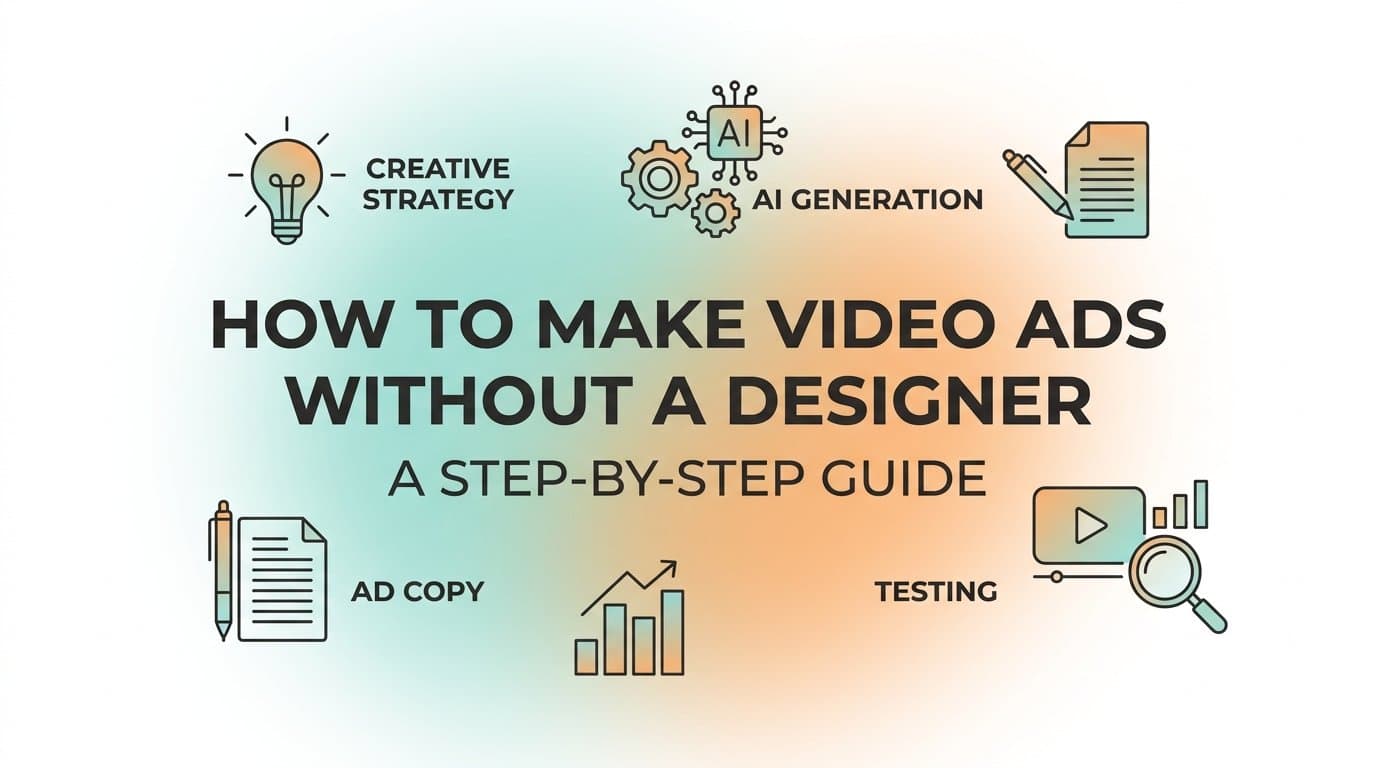
This guide is for digital marketers, media buyers, and business owners who want to create professional video ads for Meta without hiring anyone or touching traditional editing software. You will go from a blank screen to a launch-ready campaign, covering creative strategy, AI generation, copy, and testing in six clear steps.
Whether you are managing multiple client accounts or running your own brand's paid social, this process gives you a repeatable system for producing video ads that compete on quality without competing on production budget. The tools exist. The workflow is proven. Let's walk through it.
Step 1: Define Your Video Ad Objective and Format Before You Create Anything
Before you open any creative tool, you need to make three decisions: your campaign objective, your placement format, and your video style. Skip this step and you risk generating a video that looks great but performs terribly because it was built for the wrong context.
Start with your campaign objective. Are you driving awareness, traffic, leads, or conversions? This single decision shapes every creative choice that follows. A conversion-focused ad needs a direct call to action and a tight value proposition. An awareness ad can afford to be more brand-forward and emotionally driven. Get this wrong and no amount of creative polish will save your ROAS.
Choose the right aspect ratio for your placements. Meta supports several formats, and each placement has a preferred ratio. Square (1:1) is the most versatile and works well across Feed placements. Vertical (9:16) is built for Reels and Stories, where it fills the entire screen. Widescreen (16:9) suits in-stream video placements. If you are unsure where to start, square gives you the widest coverage with a single asset.
Decide on your video style. Product-focused videos showcase the item directly, often with motion graphics or demo footage. UGC-style avatar videos mimic creator content and blend into organic feed, making them feel native rather than promotional. Testimonial-style videos build social proof. Demo videos walk viewers through a feature or use case. Each style serves a different funnel stage, so match the style to where your audience sits in their buying journey.
Keep runtime in mind. For cold audiences in feed placements, shorter videos tend to see stronger completion rates. Under 15 seconds is a solid target for top-of-funnel. Retargeting campaigns, where your audience already knows your brand, can support longer formats because the viewer is already warmer.
One more practical note: plan for sound-off viewing. A significant portion of Meta users scroll with audio muted. Text overlays and captions are not optional extras; they are essential for communicating your message regardless of audio context. This is a documented best practice from Meta's own business resources.
Success indicator: You can write one sentence describing who sees this ad, what they should feel, and what action they should take. If you cannot write that sentence, keep refining before moving forward.
Step 2: Gather Your Inputs So AI Has What It Needs
AI creative tools are powerful, but they are not mind readers. The quality of what you generate is directly tied to the quality of what you bring into the session. Spending ten minutes on this step saves you multiple rounds of revision later.
Collect your core assets. You need your product URL, key product images, and any existing brand assets such as your logo and color palette. Most AI platforms can pull product details directly from a URL, but having your own images on hand gives you more control over the visual direction.
Write down two to three core value propositions in plain language. Do not hand the AI a generic product description and expect it to find the angle. Give it something specific. "Reduces checkout time by removing unnecessary steps" is more useful than "streamlines the user experience." The more precise your input, the more targeted your output.
Define your target audience in plain terms. Who are they? What problem are they trying to solve? Why does your product solve it better than alternatives? You do not need a formal persona document. A few clear sentences work. This context helps you evaluate whether the AI's creative output is actually speaking to the right person.
Browse the Meta Ad Library before you start generating. Search your product category and look at what competitors are running. Note the formats they favor, the hooks they use, and the messaging patterns that appear repeatedly. Frequency in the Ad Library is a signal. If multiple competitors are running UGC-style video with problem-first hooks, that format is likely resonating with your shared audience.
Pull your past winners if you have them. If you have run Meta campaigns before, go into your ad account and pull the headlines and copy from your top performers. These become inputs for your new video creative. You are not starting from zero; you are building on what already works.
Success indicator: Before you open any creative tool, you have a product URL, a clear angle, audience context, and at least one strong hook idea written down. That is everything you need to generate strong output in the next step.
Step 3: Generate Your Video Ad Creative with AI
This is where the actual production happens, and it is faster than most marketers expect the first time they do it. AI ad creative platforms have removed the traditional bottleneck between a good idea and a finished video asset.
Tools like AdStellar let you input a product URL and generate image ads, video ads, and UGC-style avatar content without a designer, video editor, or production budget. The platform pulls product details, imagery, and context automatically from your URL, which cuts the manual setup time significantly.
Start with your product URL. Enter it into the platform and let the AI extract the product details. Review what it pulls and correct anything that is inaccurate or missing. This foundation shapes everything the AI generates, so a quick review here pays off.
Select your video style. Based on the decisions you made in Step 1, choose between a polished product video, a UGC-style avatar that mimics creator content, or a dynamic image-to-video format. UGC-style avatar videos are worth highlighting here because they replicate the feel of organic creator content without requiring filming, actors, or scripting sessions. For cold audiences on Meta, this native look often outperforms obviously produced content because it does not trigger the mental "this is an ad" filter as quickly.
Use chat-based editing to refine your output. Once the AI generates an initial version, you do not have to accept it as-is or rebuild from scratch. Chat-based editing lets you make targeted adjustments: swap a visual, change the hook text, update the call to action, adjust pacing. This is the equivalent of giving a designer feedback in real time, except there is no waiting and no revision queue.
Generate multiple variations in the same session. This is the most important habit to build. Different hooks, different visual styles, and different CTAs cost you nothing extra when AI is handling production. Plan to generate at least three to five distinct concepts per session. Vary the opening hook most aggressively because the first two to three seconds determine whether someone keeps watching or scrolls past.
Think about it this way: a traditional production workflow might give you one finished video after days of back-and-forth. An AI workflow gives you five variations in an afternoon. That volume is your competitive advantage when it comes to testing.
Common pitfall: Generating one video, deciding it looks good, and calling it done. Volume and variation are how you find winners. One video gives you one data point. Five variations give you a testing matrix.
Success indicator: You have multiple video ad variations ready to review, each with a different hook or visual approach, all produced without opening design or editing software.
Step 4: Write Ad Copy and Headlines That Match Your Video
A strong video creative paired with weak copy is a missed opportunity. The video earns the stop; the copy and headline earn the click. These two elements need to work as a system, not as separate pieces.
Write your primary text to complement the video hook, not repeat it. If your video opens with a problem (a common and effective structure), your primary text can reinforce the solution. If your video leads with a product benefit, your copy can add context, social proof, or urgency. Redundancy between your video and copy wastes the limited attention you have earned.
Write headlines that are direct and benefit-focused. Meta placements are a high-speed environment. Viewers are scrolling fast, and vague or clever headlines often lose to specific, benefit-forward ones. "Get more leads without increasing your ad spend" outperforms "Rethink your marketing strategy" in most direct-response contexts. Specificity signals relevance, and relevance drives clicks.
Write at least three headline variations for each video creative. This gives the Meta algorithm options to test against each other and gives you messaging performance data. Over time, you learn which angles resonate most with your audience: cost savings, time savings, social proof, or something else entirely. That knowledge compounds into better creative decisions on every future campaign.
Match the tone of your copy to the style of your video. A UGC-style avatar video paired with formal corporate copy creates a jarring disconnect that hurts performance. The viewer's brain registers the mismatch even if they cannot articulate it. If your video feels casual and conversational, your copy should too. If your video is polished and brand-forward, your copy should carry that same register.
Keep your call to action consistent. The CTA in your video and the CTA in your ad copy should point to the same action. Mixing "Learn More" in the video with "Shop Now" in the copy creates confusion about what you actually want the viewer to do next.
Success indicator: Each video variation has at least two to three headline options and a primary text block ready before you move to campaign setup. You have a complete creative package for each variation, not just the video file.
Step 5: Build and Launch Your Campaign with AI-Optimized Settings
With your creatives and copy ready, the next step is getting everything live. This is where AI campaign builders change the equation significantly, particularly for marketers who manage multiple campaigns or accounts.
AdStellar's AI Campaign Builder analyzes your past campaign data, ranks creatives and audiences by performance, and builds complete Meta campaigns in minutes. Every recommendation comes with an explanation, so you understand the reasoning behind the strategy rather than just accepting a black-box output. That transparency matters because it helps you build judgment over time, not just dependency on the tool.
Select your audience targeting with data behind it. If you have past campaign data, let the AI rank and recommend audiences based on historical performance. This is a meaningful upgrade over starting from scratch with interest-based targeting and hoping for the best. If you are launching a brand new account with no history, focus on broad targeting with strong creative and let Meta's algorithm do the audience learning.
Use bulk ad launch to create multiple variations at once. This is one of the highest-leverage features available in modern ad platforms. Instead of building each ad set manually, you mix your video creatives with different headlines, copy blocks, and audiences. The platform generates every combination and launches them together. What used to take hours of manual setup in Ads Manager takes minutes.
Check your tracking before you hit publish. For conversion campaigns, confirm your Meta Pixel or Conversions API is firing correctly. A campaign with broken tracking is a campaign flying blind. This is a basic check, but it is one of the most common reasons campaigns generate data that cannot be acted on.
Review the AI's recommendations before launching. A good AI campaign builder explains its decisions. Read those explanations. You are not just approving a campaign; you are learning how the AI is thinking about your account so you can make better manual decisions when needed.
Common pitfall: Launching one video ad to one audience with one headline. This gives you almost no data to learn from and no variation for the algorithm to optimize. Multiple combinations running simultaneously is not just a best practice; it is the mechanism by which you find what actually works.
Success indicator: Your campaign is live with multiple creative and copy combinations running simultaneously, giving the algorithm real options to optimize toward and giving you a real testing matrix to learn from.
Step 6: Monitor Performance and Scale What Is Working
Once your campaign is live, your job shifts from creative production to performance analysis. The goal now is to identify winners fast, cut losers early, and scale what is working without disrupting what is already performing.
Track the right metrics for video ads. ROAS and CPA tell you whether the campaign is profitable. CTR tells you whether your creative and copy are earning clicks. Video completion rate tells you whether your content is holding attention. Hook rate, the percentage of viewers who watch past the first three seconds, tells you whether your opening is strong enough to stop the scroll. Each metric diagnoses a different part of the funnel.
Use AI Insights leaderboards to rank your variations. AdStellar's AI Insights feature ranks your video creatives, headlines, copy, audiences, and landing pages against your target benchmarks using real metrics. Set your ROAS or CPA goal, and the AI scores everything against it. This removes the manual work of pulling data from multiple places and trying to compare apples to apples across different ad sets.
Pause underperforming variations early. There is a threshold beyond which a weak creative is just burning budget without contributing useful data. Once a variation has spent enough to generate a statistically meaningful signal and is clearly not meeting your benchmarks, pause it. Letting it run out of hope is not optimization; it is waste.
Move your winners to the Winners Hub. AdStellar's Winners Hub keeps your best-performing creatives, headlines, and audiences in one place with their actual performance data attached. When you build your next campaign, you start from a library of proven assets rather than a blank slate. This is how your creative output compounds over time.
Scale winners carefully. Increasing a winning ad set's budget gradually is safer than making dramatic jumps that can push the campaign back into Meta's learning phase. Duplicating the winning ad set at a higher budget is another common approach that preserves the original while testing the scaled version. Either way, the goal is to give the algorithm room to optimize without forcing it to relearn from scratch.
Use winning hooks as templates for your next creative round. If a specific opening line or visual style consistently drives strong hook rates and CTR, that pattern is worth building on. Generate new variations around the same structure rather than abandoning it in search of something completely different. Iteration on winners beats reinvention from scratch.
Success indicator: Within the first week of your campaign running, you can identify your top-performing video ad, understand the specific elements driving its performance, and articulate a clear plan to scale it or replicate the approach in your next campaign.
Putting It All Together
Making video ads without a designer is not a workaround or a compromise. It is a faster, more testable, and more cost-efficient approach to paid social creative that more marketers are adopting as the tools have matured.
The six steps in this guide give you a repeatable system: define your objective and format, gather your inputs, generate AI-powered video creatives, write matched copy and headlines, launch with AI-optimized campaign settings, and scale based on real performance data. Run through this process once and you will have a workflow you can repeat for every campaign going forward.
The marketers who consistently win on Meta are not always the ones with the largest production budgets. They are the ones who test more variations, learn faster from the data, and iterate without friction. AI creative tools remove the bottleneck that used to sit between a good idea and a live ad.
If you want to run this entire workflow inside a single platform, AdStellar handles every step: generating your video creatives from a product URL, building bulk campaign variations, surfacing your winners through AI Insights, and keeping your best assets in one place for future campaigns. Start Free Trial With AdStellar and run your first AI-generated video ad today.